Update 09/25/2026
September 25, 2026 · posted by Brassx · 169 views
Update: Auto Dismantle Rules, the Work Bench, and Orrin's Tutorial
Orrin
A new NPC has set up in the lobby. Orrin will over time begin to offer players some stuff daily. He also offers a short PVE tutorial that may be useful for new players. Awarding you with Orrin's Gauntlet.
- Ask him about elements, Resonant Shields and the shooting range, or ask who he is.
- "Teach me." starts the new PVE Tutorial chart (see below).
- "Open Work Bench" opens the new Work Bench (see below).
The Work Bench
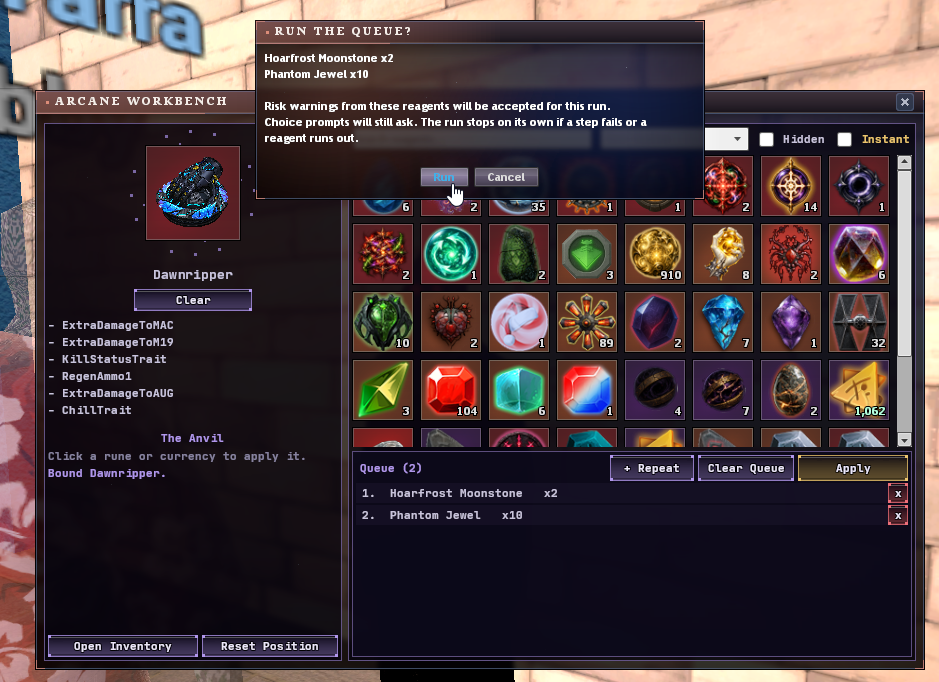
Applying orbs, runes and jewels used to mean right click, Use, pick the target and confirm, every single time. The Work Bench does it all from one window.
- Open it from Orrin. It docks next to your inventory.
- Drag a weapon or item onto the slot, then click reagents(jewels, runes, orbs, etc) to queue them and press Apply.
- Every orb, rune, essence, jewel and applicable item you own is shown in one grid. Right-click a reagent to pin or hide it, or drag reagents around to reorder them.
- Instant mode: reagents apply the moment you click them, with no queue. Shift-click asks how many to use.
- Works on equipped items too.
- Loops: add a repeat block and put reagents inside it. They keep applying until the condition you set is met:
- the item has certain traits, with rolls at least as good as the ones you pick (any one or all of them)
- the item has at least a set number of traits
- the weapon's own rolls reach a threshold (for Rune of Reconstruction)
- or a set number of loops, or until a reagent runs out
- Confirmation prompts can be accepted once for the whole run instead of once per use.
- The Anvil log shows exactly what each step changed.
Altering and Transformation runes are deliberately left off the bench, since weapons have a limited number of alters.
Auto Dismantle: Rebuilt From Scratch
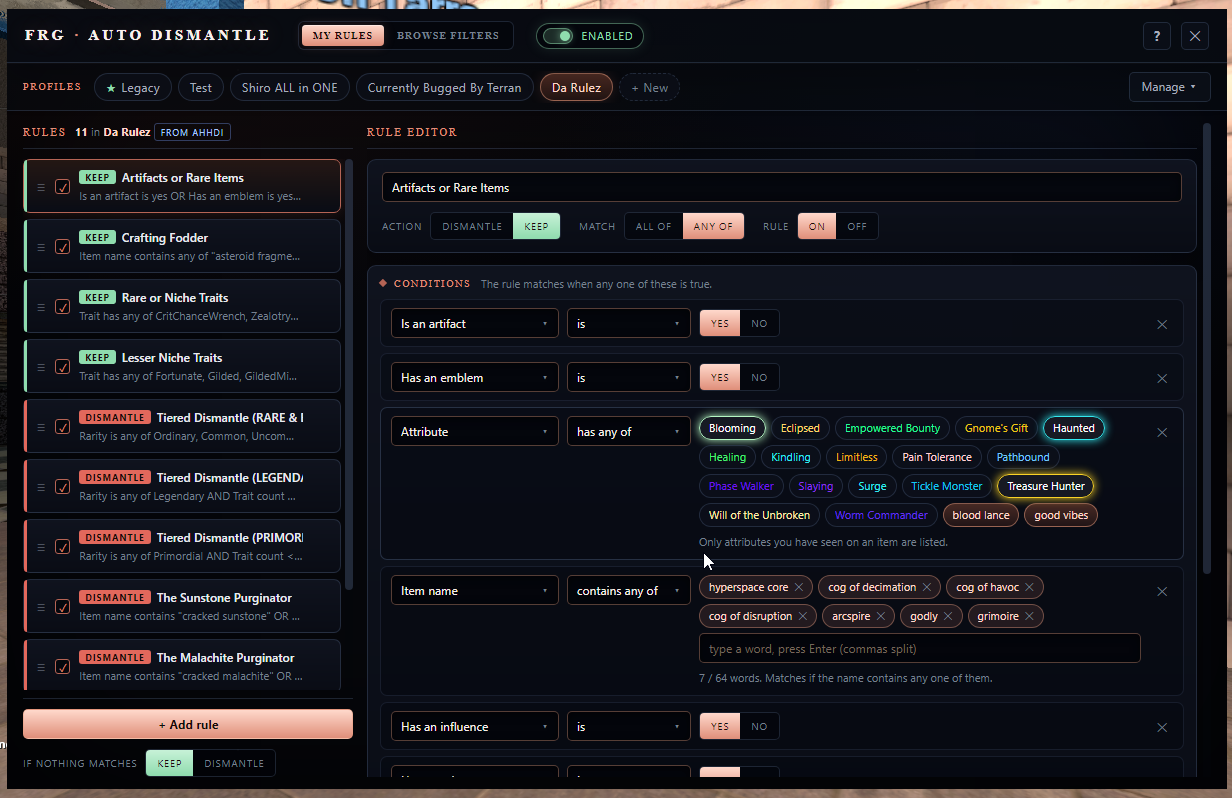
The old per-tier toggles and comma-separated keyword lists have been replaced by a proper rule editor. Open it with !dismantle (or !filters), or from the button on the crafting window's Auto Dismantle Queue tab.
- Profiles: keep several filter setups and switch between them.
- Rules: each rule either Dismantles or Keeps an item. Rules are checked top to bottom and the first one that matches wins. Anything no rule catches falls back to the profile's default action.
- Conditions: match ALL or ANY of a rule's conditions, and add an UNLESS group for exceptions. You can filter on:
- Identity: name, rarity, weapon (search by weapon name, e.g. "Deagle")
- Traits: specific traits, trait count, prefix / suffix, influence
- Rolls: stat rolls and levels
- Cosmetics: tracers, skins, effects, shiny, holo
- Flags: artifacts, trait paths, node trees, emblems, item modifiers, monthly bases
- Attributes: specific attributes and attribute count
- Description text: contains / does not contain
- Test run: preview what your active profile would dismantle and keep, using the items in your inventory and your bags, before turning it on.
- Always protected: locked items, bags, stackables, untradeable items and anything that has no dismantle output are never touched, whatever your rules say.
-
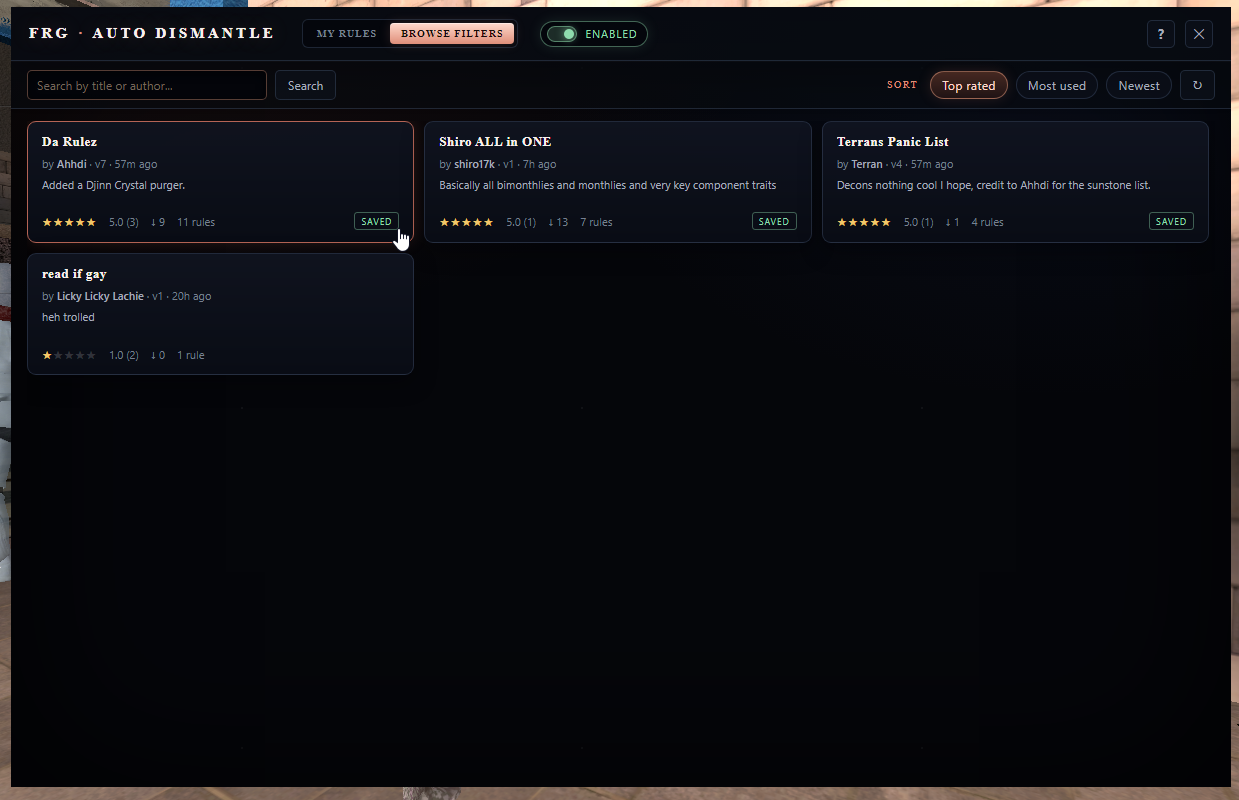
Browse Filters: publish your profiles for other players, browse and rate theirs, and save a copy with one click. If the author updates a filter you saved, you get told there's a new version.
-
Your old settings carry over: the first time you open it, your old tier toggles and keyword lists are converted into a Legacy profile automatically, so nothing changes until you edit it.
 Patch Notes